Who it is for
For an established residential cleaning owner-operator, especially one starting to use paid help and wanting to compare job estimates with completed-job results.
See the full workflow
These are illustrative job details from the corrected v1.2 workbook. Review the customer estimate, then compare the original estimate with the costs you recorded after the clean.
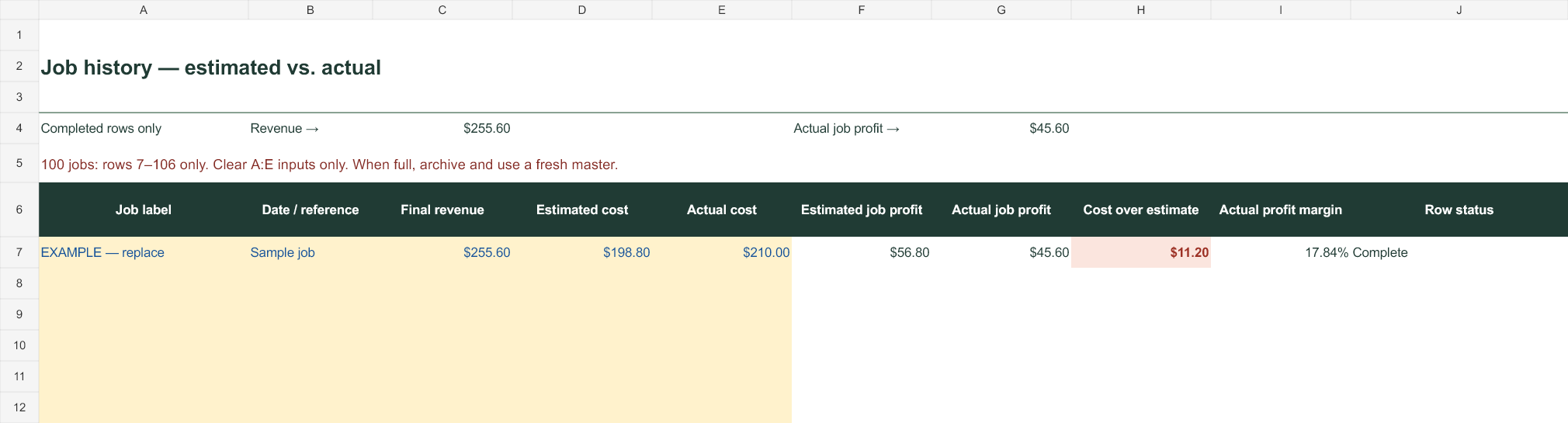
ILLUSTRATIVE COMPLETED JOB · MANUAL ENTRY
| Revenue | $255.60 |
|---|---|
| Estimated cost | $198.80 |
| Actual cost | $210.00 |
| Estimated job profit | $56.80 |
| Actual job profit | $45.60 |
| Cost overrun | $11.20 |
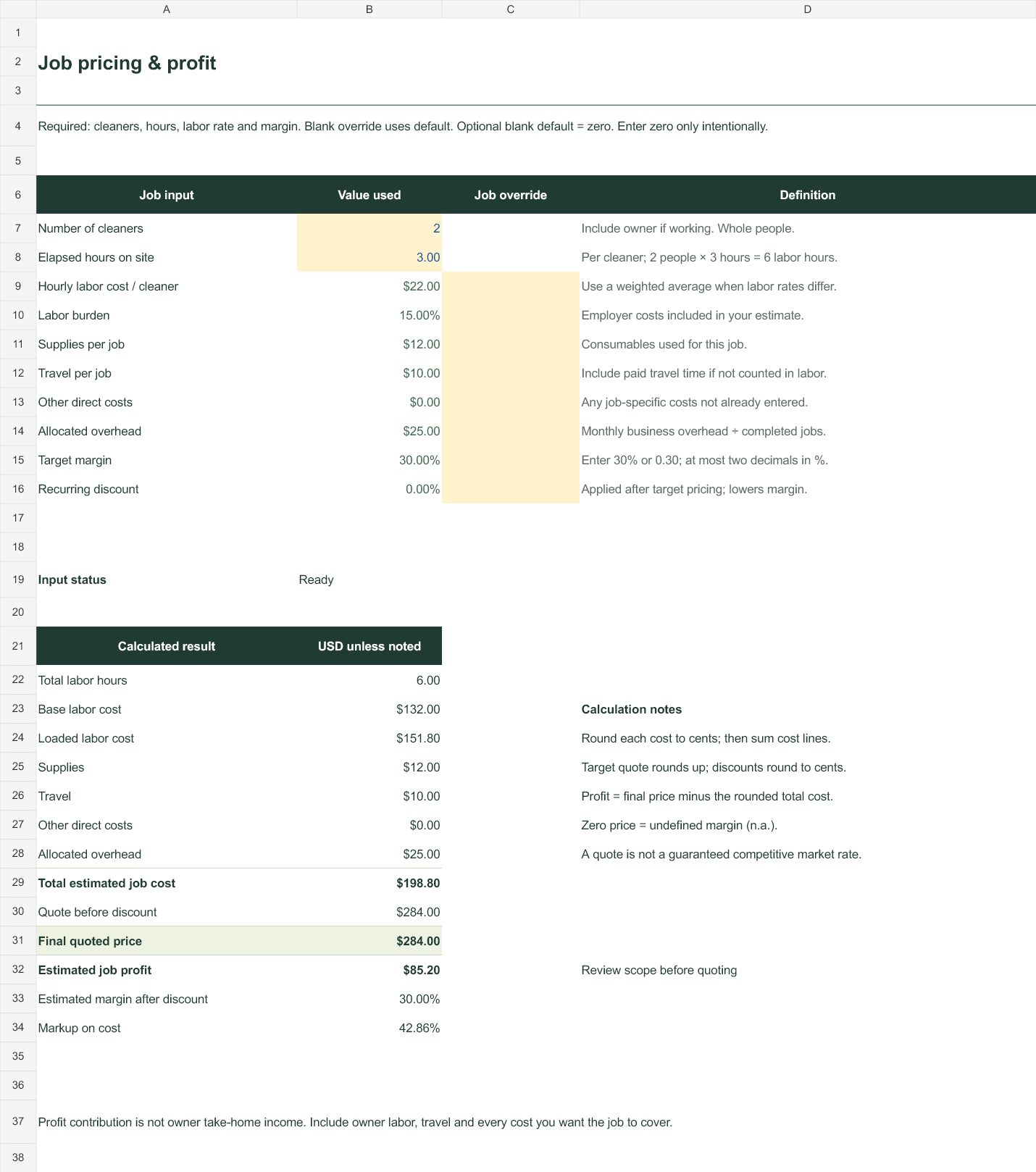
This illustrative example includes a 10% discount on a $284 quote. Record completed-job values yourself. Future default changes leave saved history intact.
What’s inside
Start Here
Input conventions, setup steps, definitions and a worked example. Start with clearly marked sample assumptions and replace them with your costs.
Business Settings
Maintain a standard labor rate, burden, supplies, travel, overhead, target margin and recurring discount. Linked job inputs use these settings; job-specific override cells let you change a quote without changing the defaults.
Job Pricing
Enter cleaner count and elapsed hours. Review the labor build, total cost, target quote, final discounted price, estimated job profit and estimated margin after discount.
Quote Builder
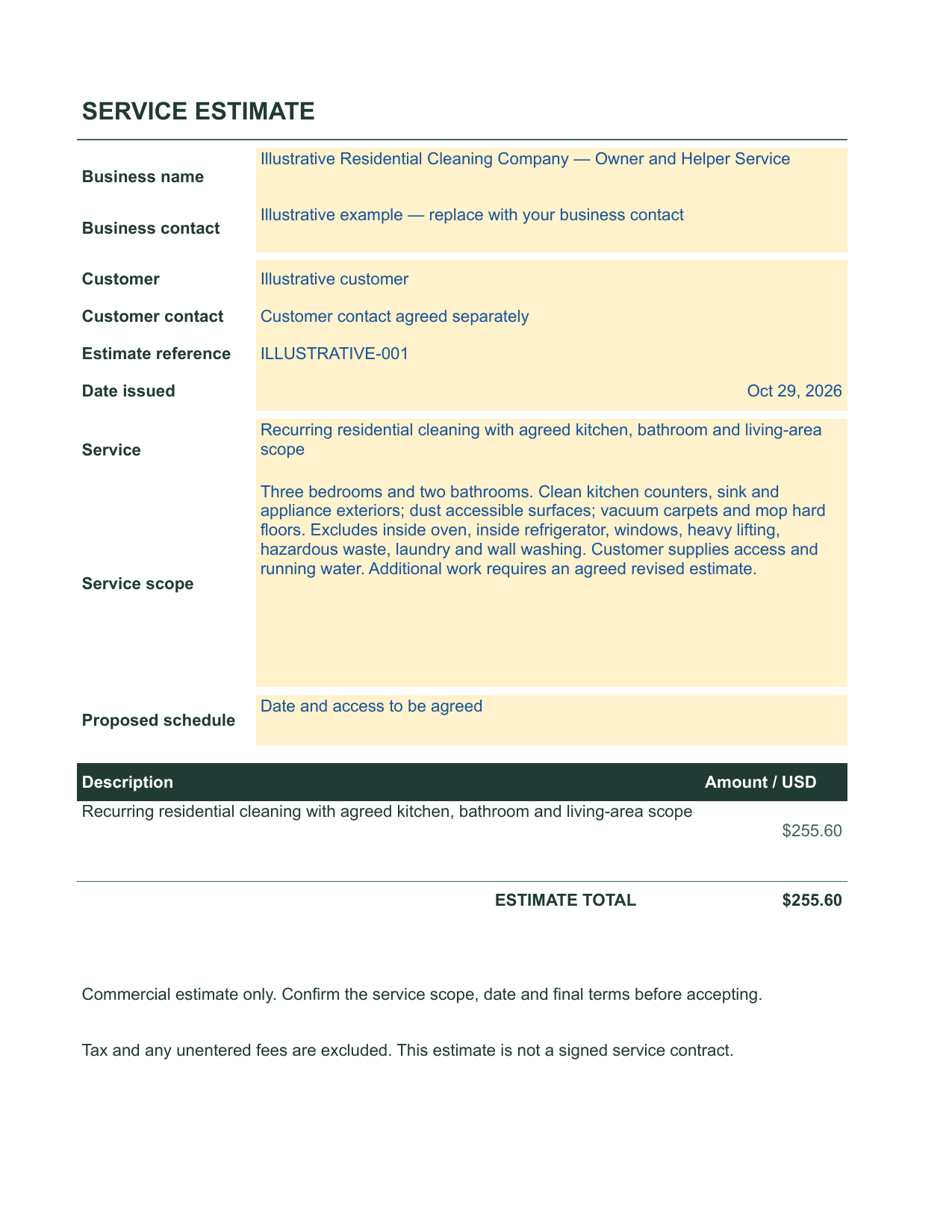
Fill in your business and customer labels, service description, date and estimate reference. The printable customer view draws the final price from Job Pricing and leaves out wages, costs and profit. It is an estimate, not a signed contract.
Actual-job-cost helper
On Business Settings, enter completed cleaner-hours, an effective loaded rate, supplies, travel, other costs and overhead. Copy the rounded total into history as a value. It does not change the current job quote.
Job History
Record up to 100 jobs using your own labels. Enter the quoted revenue, estimated cost and actual cost; compare estimated and actual job profit and cost overruns. At 100 jobs, archive the file and start from a clean master; do not extend the history. Copy completed-job figures as values to preserve history when settings change. This is manual tracking, not automatic bookkeeping.
Compatibility & limitations
The v1.2 .xlsx uses ordinary formulas without macros or external workbook links. Windows Excel calculation and formula-protection tests have passed. A separate native Google Sheets edition has passed API calculation tests and a customer-only PDF export. Customer copying, yellow-input editing, formula warnings and a one-page customer-only PDF have also been manually verified in Google Sheets. Excel protection does not transfer identically. Excel for Mac and mobile apps remain unverified. Read the included compatibility matrix for exact test coverage; universal compatibility is not claimed.
It uses USD, a shared hourly labor rate per job and cost-based pricing. It does not calculate payroll, file taxes, schedule cleaners or forecast demand. Excel formula cells are protected against accidental edits; intended inputs stay editable. Keep a clean backup. Target margin supports two decimal places in percent; history amounts must use dollars and cents.
Purchase, delivery & support
Use the purchase button to pay through Payhip and receive the workbook download. The price displayed here must match the provider’s product price; tax may be added by checkout.
Product support address: [email protected]. Email forwarding is verified. Review the 14-day refund policy before purchasing.